text.skipToContent text.skipToNavigation
Vážení zákazníci, upozorňujeme vás, že objednávky vytvorené dňa 28. 10. 2026 budú doručované až 30. 10. 2026. Ďakujeme za pochopenie.
Fabory App Inventory Management

Simplify your fastener ordering with FastScan

Reordering fasteners and other essential products has never been easier. With FastScan, part of the MyFabory App, you can quickly reorder products by simply scanning their barcodes using your smartphone or tablet.

Just scan the barcode, select the required quantity and add the product to your shopping cart. No manual article number entry or complicated ordering processes – just a faster, simpler way to keep your essential supplies available.

Getting Started with FastScan

Start using FastScan in the MyFabory App in just a few simple steps.

01

Download the App

Download the MyFabory App for your smartphone.

02

Sign In

Log in with your MyFabory account. Don't have an account yet?

Register for MyFabory →
03

Open FastScan

Select FastScan from the menu in the MyFabory App.

04

Scan and Order

Scan a product barcode, enter the required quantity and add it to your shopping cart. Complete your order in the app or on your computer.

No Barcodes Yet?

Don't have barcode labels on your storage bins? You can generate and print your own barcodes for Fabory products through MyFabory. Find out how in the section below.

How to Create Barcodes ↓
The Benefits

Why Choose FastScan?

Make your everyday ordering process simpler, faster and more convenient.

Save valuable time
Scan barcodes instead of manually searching for and entering article numbers.
Order where you work
Add products to your shopping cart directly from your warehouse, workshop or production area.
Scan offline
Scan products without an internet connection and continue ordering when you're back online.
Simplify repeat orders
Quickly collect the products you need in one shopping cart.
FastScan benefits
BARCODE LABELS

No Barcodes? Create Your Own.

Make repeat ordering even easier by creating barcode labels for your products and storage locations.

Turn your storage bins into scannable ordering points

Don't have barcode labels on your storage bins or shelves? With MyFabory, you can easily generate and download barcode labels for Fabory products.

Simply enter one or more Fabory article numbers, generate a PDF with barcodes, then print and attach the labels to your storage locations. The next time you need to reorder, just scan the barcode using FastScan.

Create your barcode labels online and make repeat ordering even easier.
Generate Your Barcodes →

You must be logged in to your MyFabory account to access the barcode generator.

▥
Create. Download. Scan.
FABORY
BARCODE LABEL
Generate and download barcode labels with MyFabory, then scan them using FastScan.
CUSTOMER EXPERIENCE

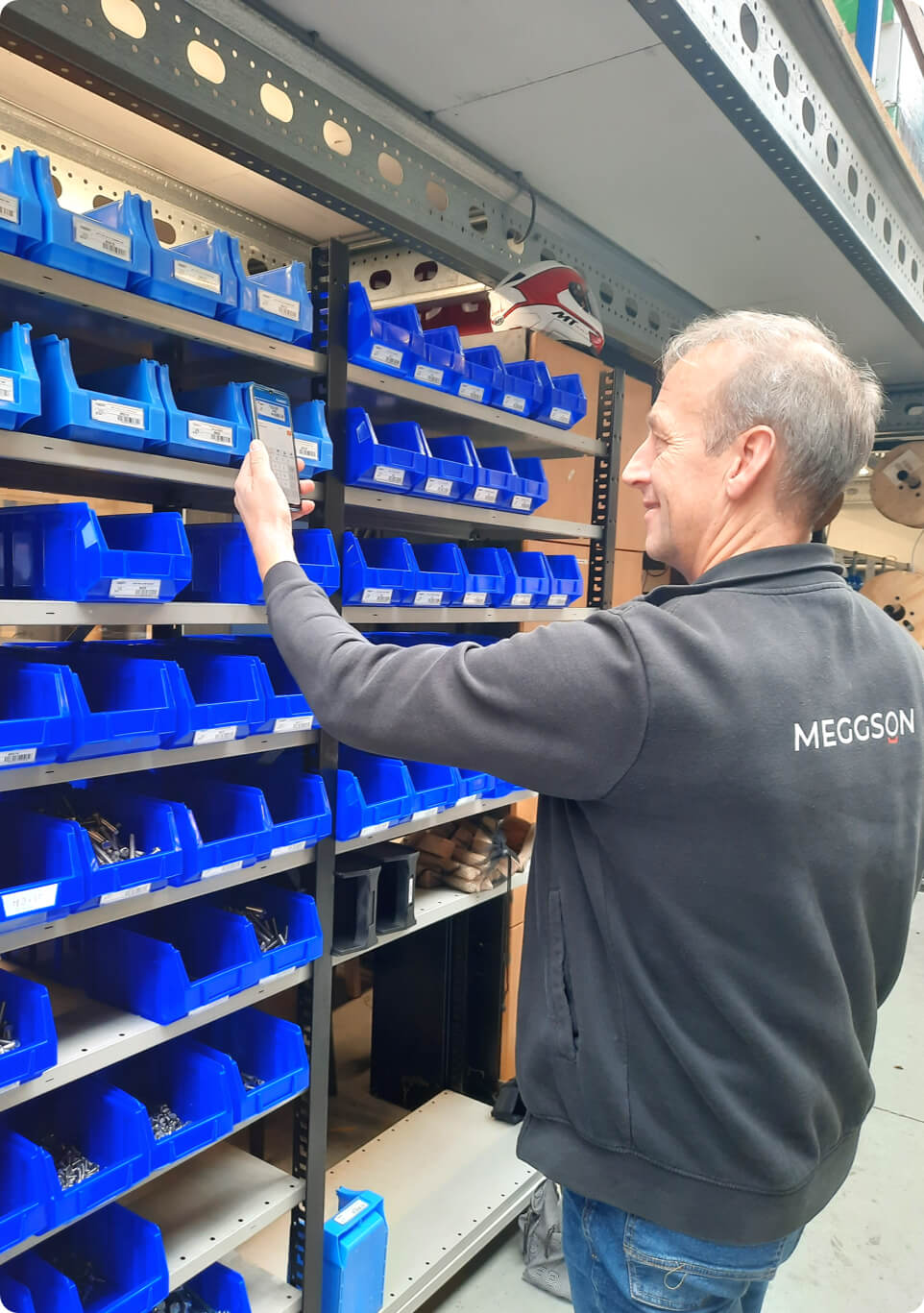
FastScan in Practice at Meggson

Discover how Meggson uses FastScan in the MyFabory App to simplify fastener replenishment by scanning barcode labels directly with a smartphone.

“
Instead of a barcode scanner, I could also use my mobile phone to scan barcodes through the Fabory App. I didn't know that was possible. I was immediately enthusiastic because it's the easiest way for me to work.
Aart van Ginkel
Head of Production, Meggson
Read the Full Customer Story →
PART OF THE MYFABORY APP

One App. More Possibilities.

FastScan is just one of the convenient features available in the MyFabory App.

Everything you need, wherever you work

The MyFabory App gives you convenient access to Fabory products and essential account information, whether you're working in the warehouse, workshop or office.

Alongside FastScan, you can search for products, access detailed product information, view your order history and invoices, and track deliveries.

Product Information
Find products and access the details you need.
Order History
Review previous orders and simplify repeat purchases.
Track Deliveries
Stay informed about your order and delivery status.
Invoices
Access your invoices through your MyFabory account.
GET STARTED WITH FASTSCAN

Ready to Simplify Your Ordering?

Download the MyFabory App and start using FastScan to reorder fasteners and other essential products directly from your workplace.

Scan barcodes, add products to your shopping cart and manage your orders with just a few taps.

Available for iOS and Android devices.

Frequently asked questions

1

How does FastScan work?

FastScan is a barcode scanning feature within the MyFabory App. Simply scan the barcode of a Fabory product using your smartphone or tablet, select the required quantity and add the product to your shopping cart. You can then review your cart and complete your order through MyFabory.

2

Can I create my own barcode labels for FastScan?

Yes. You can generate and download barcode labels for Fabory products through your MyFabory account. Once printed, the labels can be attached to your storage bins or shelves for convenient scanning. You must be logged in to access the barcode generator. Generate your barcodes here.

3

Can I use FastScan without an internet connection?

FastScan supports offline barcode scanning, allowing you to scan products even when an internet connection is unavailable. You can continue the ordering process once your device is connected to the internet again. An internet connection is required to submit your order.

4

Where can I download FastScan?

FastScan is included in the MyFabory App, so there is no need to download a separate application. The MyFabory App is available for iOS and Android devices. Download it from the Apple App Store or Google Play and sign in with your MyFabory account.

Nezatvárajte túto stránku. Táto správa zmizne, keď sa stránka úplne načíta.