
Haro Aluminium Veenendaal vyvíjí, vyrábí a instaluje hliníkové rámy, zimní zahrady, dveře, fasádní prvky, závěsné fasády a další hliníkové fasádní konstrukce. Mezi jeho zákazníky patří architekti, stavební společnosti a developeři. Ve skladu spravuje nákupčí Willem Denneman produkty potřebné pro výrobní týmy společnosti Haro a s výrobními zásobami pracuje již více než třicet let.
Proces objednávání se za tuto dobu výrazně změnil. Zatímco dříve si Willem zapisoval čísla položek Fabory do poznámkového bloku, dnes může produkty skenovat pomocí svého pracovního telefonu a využívat FastScan společně s MyFabory k přípravě a dokončení další objednávky.
Výsledky v kostce
Více než 30 let
Willem má více než třicet let zkušeností se správou výrobních zásob ve společnosti Haro.
Každodenní kontrola zásob
Každý den prochází skladem a identifikuje produkty, které technici společnosti Haro potřebují.
Objednávání pomocí smartphonu
Produkty lze naskenovat ve skladu a následně před odesláním objednávky zkontrolovat v MyFabory.
Výzva: přechod od ručně zapisovaných čísel položek
Když Willem poprvé objednával produkty od společnosti Fabory, byl celý proces manuální. Čísla položek se zapisovala před přípravou objednávky, což přidávalo další krok mezi kontrolou skladových zásob a samotným zadáním objednávky.
Protože technici při své každodenní práci využívají širokou škálu produktů, Willem potřeboval praktický způsob, jak během procházení skladu zjistit, co je potřeba, a přenést tyto produkty do objednávky bez opakovaného ručního zapisování čísel položek.
Řešení: FastScan a MyFabory
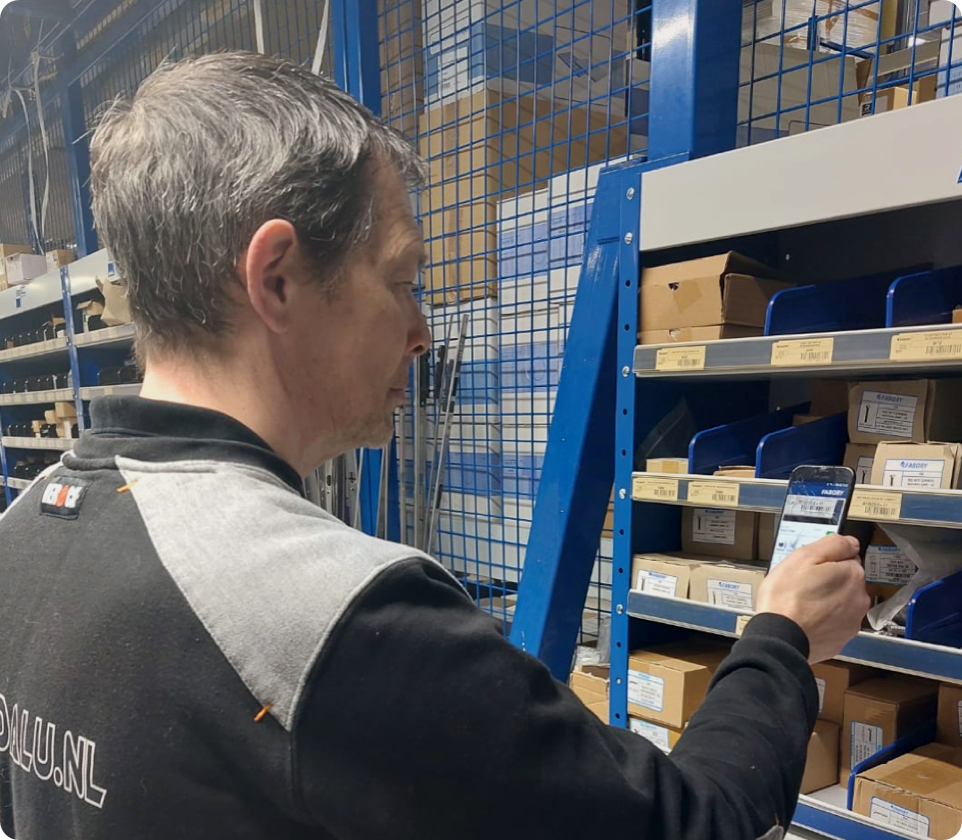
Dnes Willem používá FastScan v aplikaci Fabory na svém pracovním telefonu. Když zjistí, že je třeba nějakou položku objednat, může její čárový kód naskenovat přímo u skladového regálu.
Naskenované produkty se přidají do nákupního košíku Fabory. Willem se pak může ze svého počítače přihlásit do MyFabory, zkontrolovat celou objednávku a před jejím odesláním upravit množství.
MyFabory také poskytuje Willemovi přehled o průběhu objednávek, takže vidí, které objednávky již byly zpracovány a které jsou stále nevyřízené.
Tato kombinace umožňuje provádět kontrolu zásob mobilně, zatímco při dokončování objednávky může Willem využít přehled na větší obrazovce, kterému dává přednost.
Od skladového regálu k objednávce
1. Zkontrolujte regály
Willem prochází skladem a identifikuje produkty potřebné pro výrobní týmy.
2. Naskenujte položku
Pomocí FastScan ve svém pracovním telefonu přímo naskenuje čárový kód produktu.
3. Otevřete MyFabory
Naskenované produkty jsou k dispozici v nákupním košíku, když se Willem přihlásí na svém počítači.
4. Zkontrolujte a objednejte
Před odesláním dokončené objednávky lze množství zkontrolovat nebo upravit.
Jednodušší opakované objednávky
MyFabory Willemovi pomáhá také v případě, že položka není okamžitě k dispozici ke skenování. Dříve objednané produkty lze znovu vyhledat, což usnadňuje nalezení známých položek bez nutnosti pamatovat si jejich čísla.
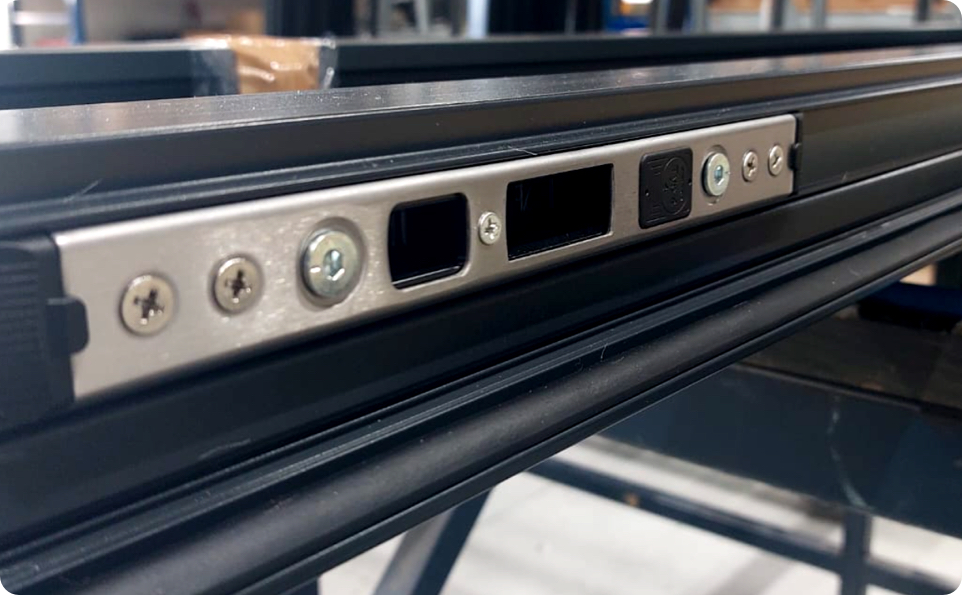
Informace o produktu jsou užitečné, když je třeba zkontrolovat podrobnosti, například délku vrtáku nebo specifikaci strojního závitníku. Často objednávané vrtáky a šrouby lze také uchovávat pohromadě, aby bylo opakované objednávání jednodušší.
Rozsah jednotlivých požadavků se může lišit. Willem jako příklad uvádí pravidelné objednávání vrutů do dřevotřísky v množství 2 000 kusů najednou, takže přesný a opakovatelný proces objednávání je obzvláště užitečný.
„Objednávání prostřednictvím aplikace Fabory probíhá hladce, takže se mohu rychle věnovat další práci, která na mě čeká.“
Willem Denneman, nákupčí skladu, Haro Aluminium Veenendaal
Více času na další skladové činnosti
Jakmile je objednávka připravena, může se Willem věnovat dalším povinnostem ve skladu. Patří mezi ně vyžádání cenových nabídek a provádění rezervací pro dílnu.
Přechod od ručně zapisovaných čísel položek ke skenování pomocí smartphonu tak zjednodušil proces objednávání, přičemž Willem si nadále zachovává kontrolu nad tím, co a v jakém množství se objednává.
Praktický digitální proces objednávání
Přístup společnosti Haro je záměrně jednoduchý. Zásoby nadále kontroluje osoba, která zná sklad a požadavky výrobních týmů, zatímco FastScan eliminuje potřebu během tohoto procesu ručně zapisovat každé číslo položky.
Kombinace skenování pomocí smartphonu a MyFabory poskytuje Willemovi praktickou cestu od skladového regálu až po dokončenou objednávku, usnadňuje vyhledávání a opakované objednávání často nakupovaných produktů a zároveň poskytuje přehled o objednávkách, které již byly zpracovány nebo stále čekají na vyřízení.
|
Fabory FastScan
Chcete zjednodušit proces objednávání?Zjistěte, jak vám FastScan v aplikaci Fabory může pomoci skenovat produkty ve skladu a dokončit objednávku prostřednictvím MyFabory. Objevte FastScan |